Hando — One Weekend to Eliminate the Image Delivery Pain Point Every UI Designer Knows: An Open-Source Tool Development Log
April 27, 2026 - By Homer Shie

I. The Designer's Chronic Pain: The Image Delivery Loop
As a UI designer, image delivery has always been a nagging pain point. Every time a design is finalized, I'd go through the same tedious cycle:
- Run PNGs / JPGs through TinyPNG for compression
- Open Squoosh and convert each file to WebP one by one
- The developer asks: "Do you have AVIF?" — open Squoosh again
Tools on the market either focus on compression only or format conversion only. Not a single one can do all three things in the same drag-and-drop action.
Fed up with this inefficient workflow, I sat down over a weekend and built a tool: Hando.
II. The Core Idea: One Drop, Three Outputs
The most essential design decision in Hando is "simultaneous WebP / AVIF companion output." Drop a PNG in, and you immediately get:
- The compressed original PNG
- A same-name WebP file
- A same-name AVIF file (the best compression ratio among modern formats)
For developers, they can write a perfect fallback without thinking:
<picture>
  <source srcset="hero.avif" type="image/avif">
  <source srcset="hero.webp" type="image/webp">
  <img src="hero.png" alt="">
</picture>
For designers, the delivery workflow goes from "3 tools, 5 steps" to a single action: drag it in.
III. Squeezing the Best Encoder for Every Format
I didn't compromise on compression quality. Each format uses the industry's best encoder:
- JPEG — mozjpeg (high compression ratio, excellent quality retention)
- PNG — imagequant + oxipng (dual-stage optimization)
- WebP — official libwebp encoder
- AVIF — ravif
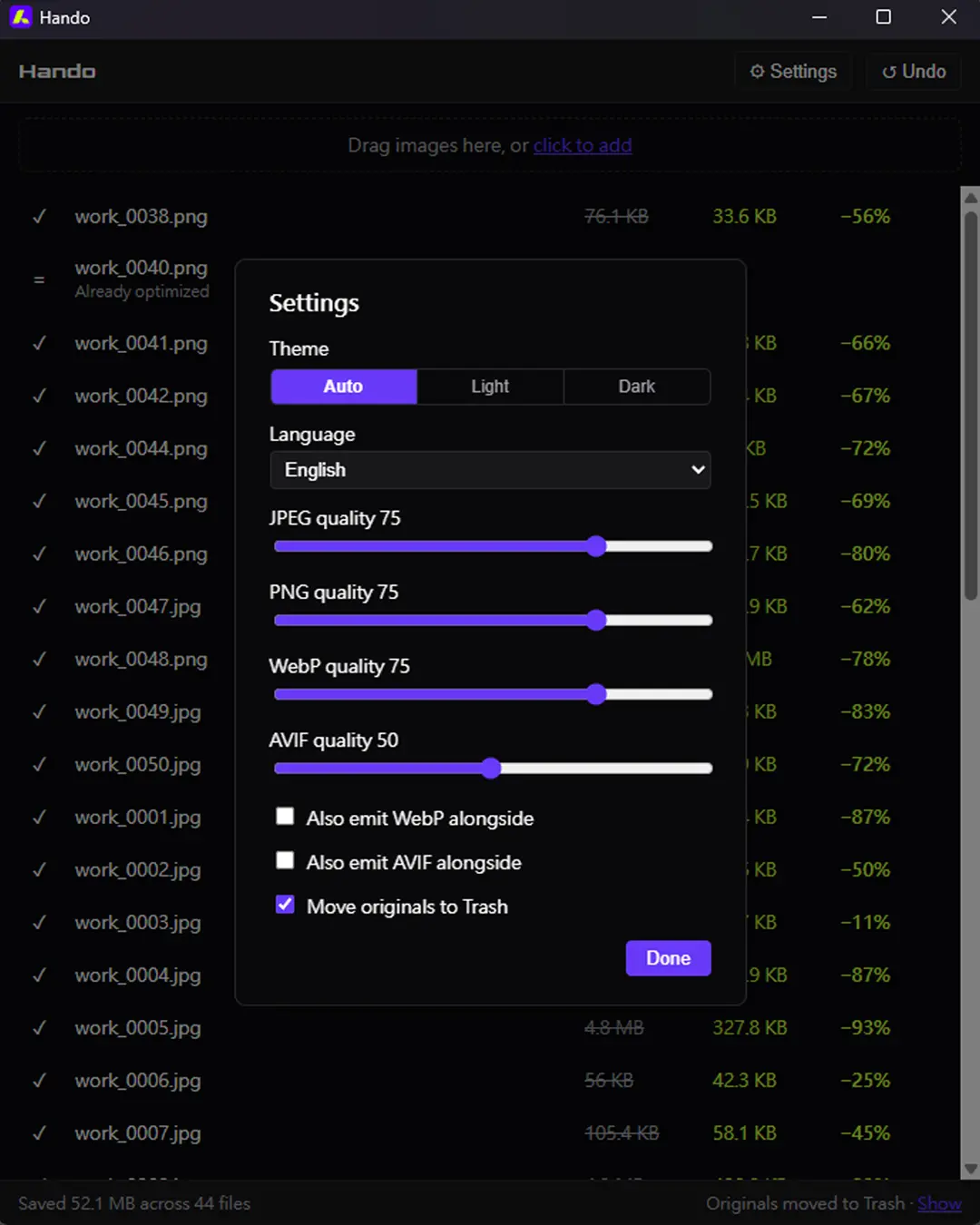
Each format has its own independent quality slider, so you can fine-tune for different assets. If the compressed output is larger than the original (e.g., an already-compressed JPEG), Hando is smart enough to skip it automatically. Accidentally over-compressed something? One-click Undo is supported — the original files go to the trash, ready to be recovered at any time.
IV. Tech Stack and Development Highlights
- Frontend: TypeScript + Vite (WebView)
- Backend: Rust + Tauri 2 (all encoding happens in-process — no sidecar, no bundled Node binary)
- i18n Type Inference: If I was going to do it, I wanted to do it right. Hando ships with 7 languages (English / Traditional Chinese / Simplified Chinese / Japanese / Korean / Spanish / Portuguese). One implementation detail worth noting: the
MessageKeytype is a union of leaf keys recursively derived from the locale object at compile time, which means misspelled translation keys are caught at build time — no more silent runtime blanks.
V. Closing: Open Source, Free, Built for Designers
Hando is released under the AGPL-3.0 open-source license, launched with a double-click, and available for both Windows and macOS Universal. No subscription, no privacy concerns about uploading to the cloud, no file size limits — everything happens locally on your machine.
If you're tired of juggling multiple tools every time you need to deliver images, give it a try. This is a small tool I built for myself — and for every fellow designer who shares the same perfectionist streak.
📥 Download: Grab it from GitHub Releases (.exe or .app.zip, your choice) — unzip and it's ready to go.
If Hando saves you enough time to leave work on time, feel free to buy me a coffee on Ko-fi — any amount helps cover the Apple Developer Program annual fee so future macOS users won't have to manually run xattr -cr to get past Gatekeeper.
Feel free to leave a comment below or reach out via Instagram. Whether it's thoughts on tool design or a discussion about Tauri development, I'd love to spark something new together.